Customize your library
Match the library to your store and choose how resources are presented. ResourceHub gives you a built-in template editor to customize the library itself, with a live preview and no theme code.
- Open Settings and go to the Templates tab.
- Click Edit on your current template.
- Change colors, layout and page content to match your store.
- Save.
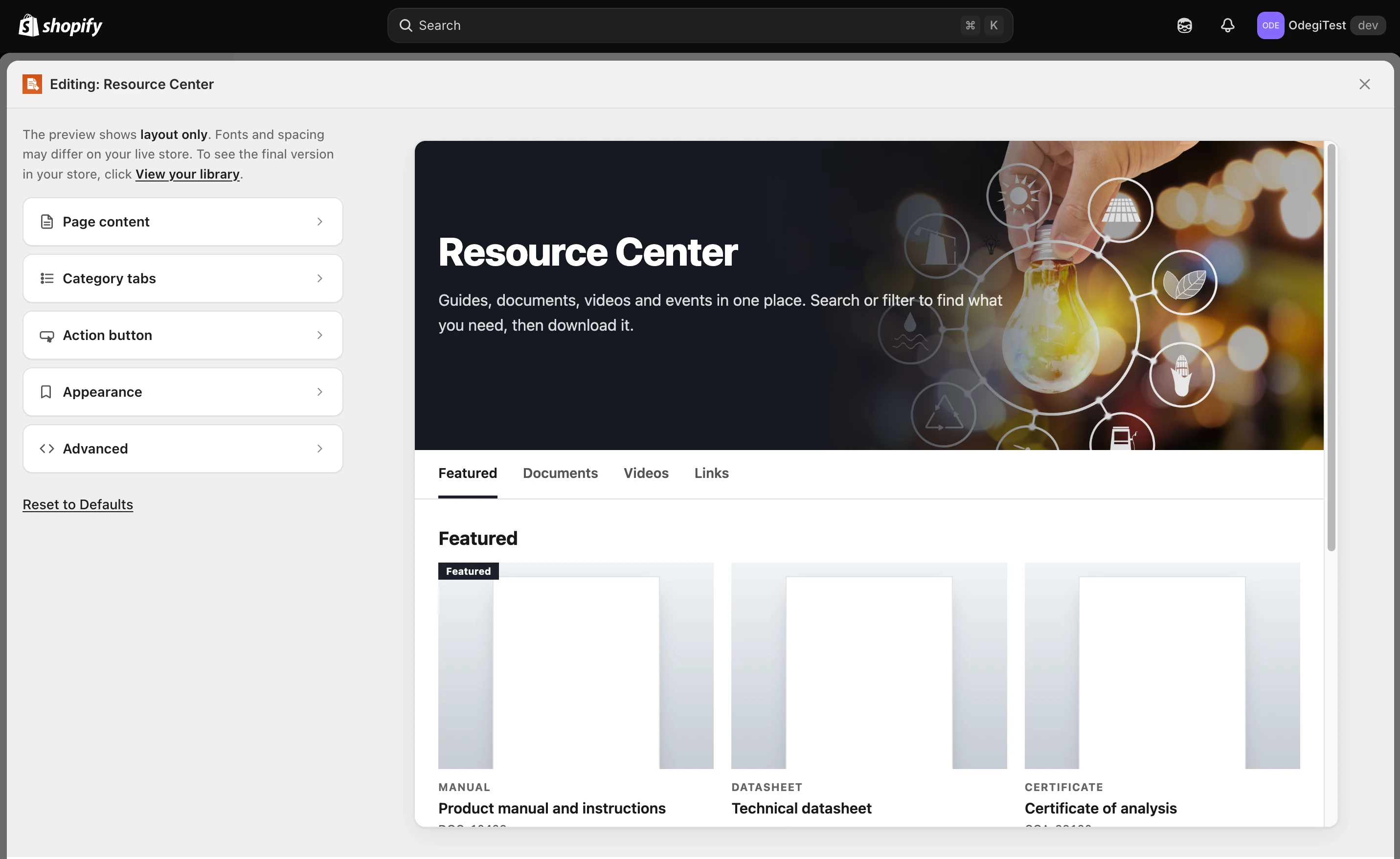
The template editor: settings on the left, a live layout preview on the right.
Your library starts on the Default Library template, a flexible starting point for any mix of documents, guides, videos and resources.
Two more settings worth knowing
- Icons controls the icons used on your resources.
- Show Tags, under Other Settings, displays resource tags in both grid and list views. Leave it off if your tags are for internal filtering rather than something customers should see.
Library not displaying properly?
We'll fix it for free. Usually within 24 hours. Just reach out. Contact us